Playwright Check Suites: cancel runs, choose node/bun versions and more
We shipped a focused batch of Playwright Check Suite improvements to make runs faster, more reliable, customizable and easier to debug.
You can now cancel runs, use custom Node / Bun versions, rely on automatic retries for transient dependency failures, cache Playwright browsers in Private Locations and use globalTimeout from Playwright and see trace-processing details.
Playwright Check Suite runs are now cancellable.
Started a Playwright Check Suite run and already know it needs to stop?
You can now cancel queued or in-progress runs from the UI or CLI. This works for runs started from Schedule now and for runs triggered through test sessions, including:
npx checkly testnpx checkly pw-testnpx checkly trigger
You can cancel a run in two ways:
Click Cancel Run from the Playwright Check Suite Runs or Test Session Run pages
Press
CTRL+Con Checkly CLI 8.0.0 and later
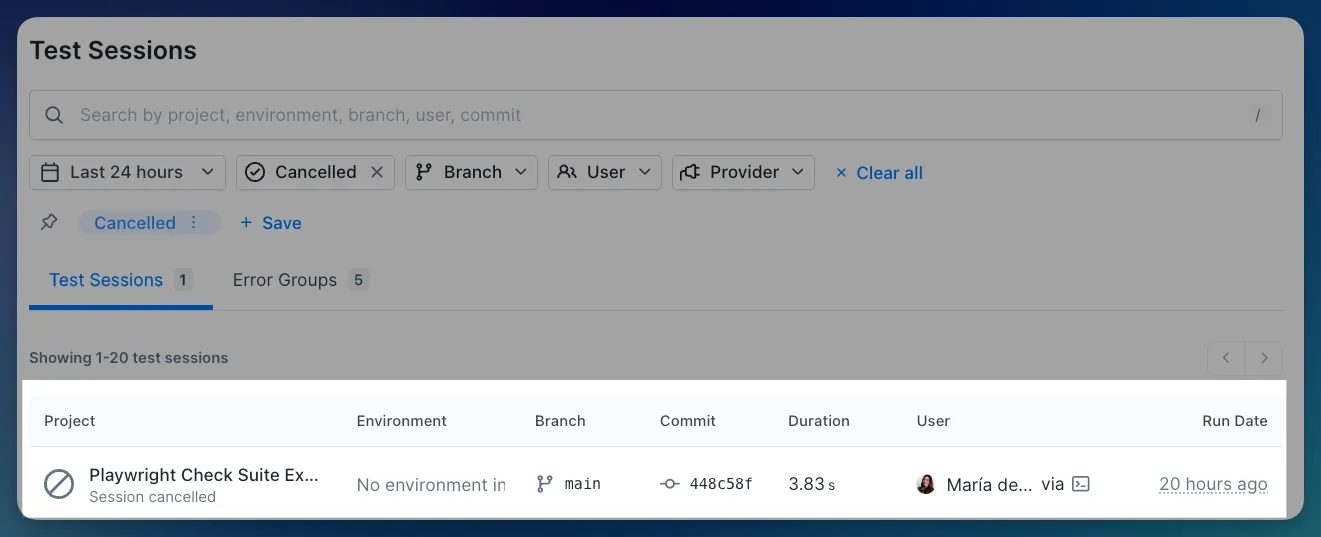
Cancelled runs now show a Cancelled status in your run history so you can distinguish them from failures.
Choose your Node/Bun runtime engine
Playwright Check Suites now support multiple Node.js and Bun engines, configurable from the UI and
in code.
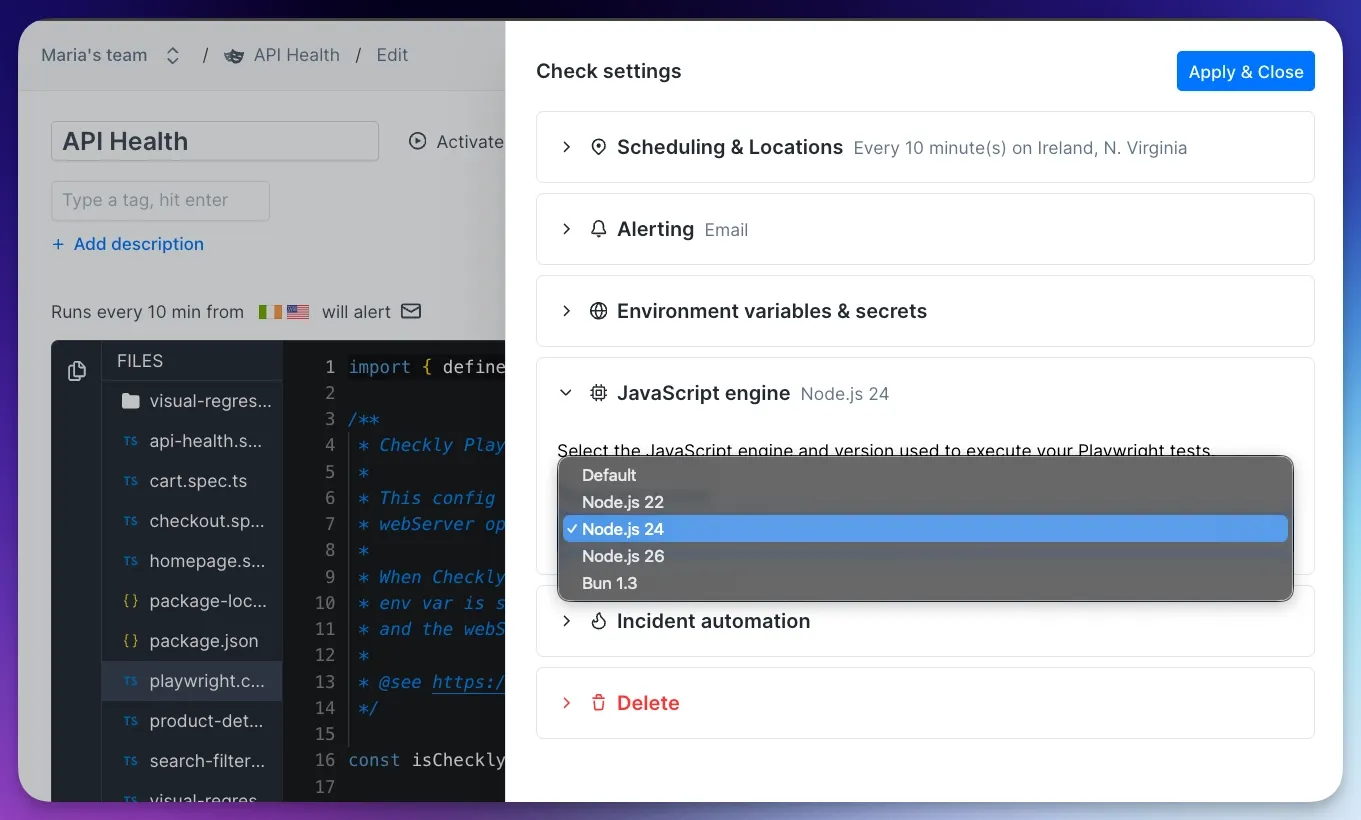
Starting with Checkly CLI 8.1.0, the CLI looks at your project’s version files and selects a compatible runtime automatically, including:
.nvmrc.node-version.bun-version
Supported runtimes:
Node.js
22defaultNode.js
24Node.js
26Bun
1.3default
If your project specifies a different version, Checkly picks the closest compatible runtime for you.
You can also override automatic detection by setting the engine property:
import { Engine, PlaywrightCheck } from 'checkly/constructs' new PlaywrightCheck('my-playwright-check', { /* ... */ engine: Engine.node('24'), }) Available from Checkly CLI 8.1.0
Browser caching across runs in Private Locations
Playwright Browser caching has now landed in Private Locations: Playwright Check Suites now cache Playwright browsers across runs on the same Private Location agent. No more re-downloading browsers on every run: when a cached browser exists, the installation step is skipped entirely.
Faster startup times
No repeated browser downloads
Lower bandwidth usage on Private Location agents
Zero configuration required
Caching is scoped to each Private Location agent. Runs on different agents install browsers independently. Available since Private Location agent version 8.2.0.
Playwright’s globalTimeout is now fully supported
Playwright's globalTimeout now behaves as you expect in Checkly.
Until now, global timeouts set in your Playwright configuration were respected at runtime but not visible in Check run results. That's fixed.
You can control the maximum duration of a Check Suite run using Playwright's native global timeout (in milliseconds). In your playwright.config.ts:
export default defineConfig({ globalTimeout: 120_000, // 2 minutes }); Or pass it as a flag in your testCommand:
testCommand: npx playwright test --global-timeout=120000
When a run exceeds the limit, Playwright skips all remaining tests and reports the check as failed. The timeout error appears in both the logs and the Failures tab, along with a troubleshooting guide to help you identify what to adjust.
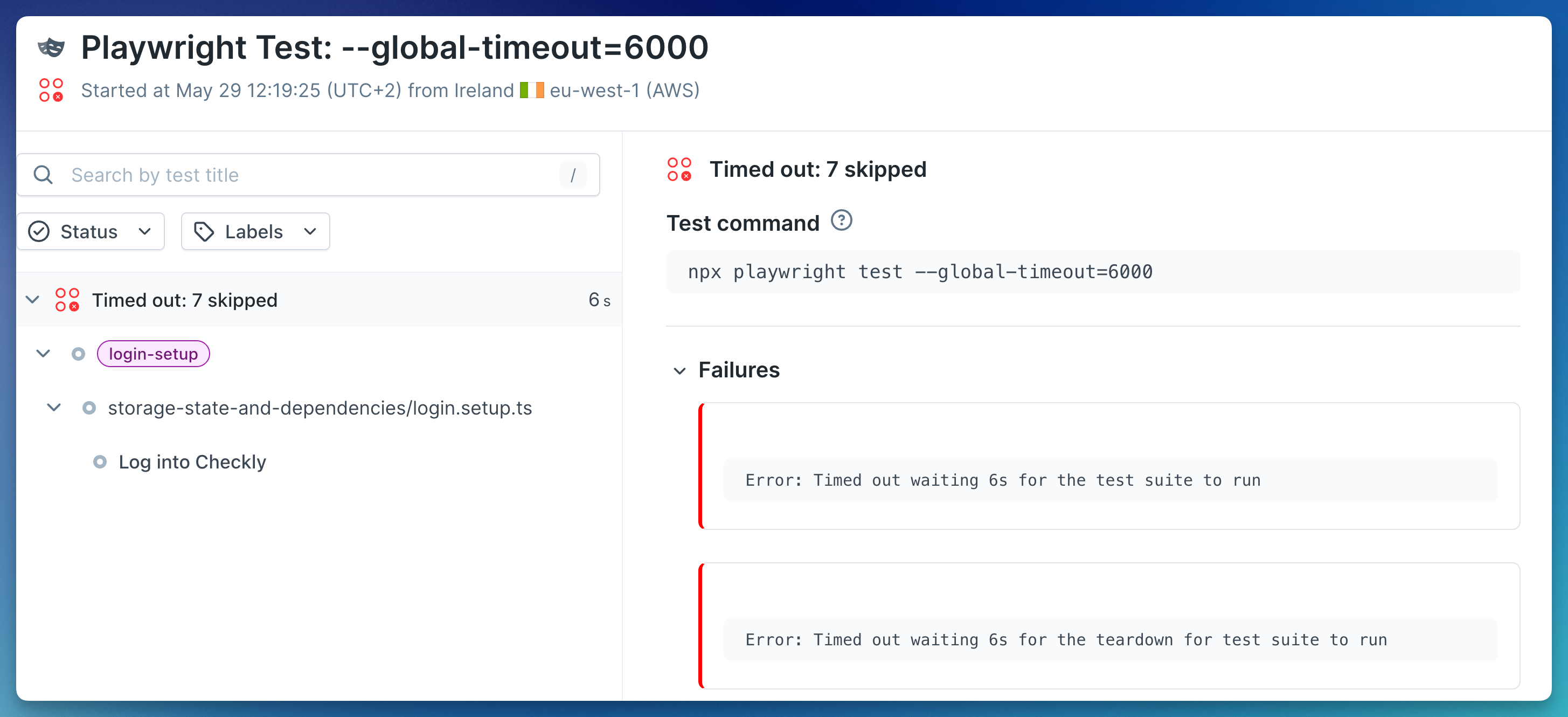
A few things to keep in mind:
If you set a global timeout in both
playwright.config.tsand yourtestCommand, the flag takes precedence, matching Playwright’s own behaviour.globalTimeoutlimits the entire suite, not individual tests. For per-test limits, use Playwright'stimeoutoption.
Automatic retries for environment setup steps
Some setup steps fail for boring reasons: a temporary network issue, a cache hiccup, or the internet having a little wobble.
Check runs now automatically retry setup steps that are prone to transient failures, reducing false negatives without requiring any config changes.
Downloaded package managers are cached in the dependency cache after a successful Corepack run
If all dependency cache download attempts fail, the run falls back to a clean install
No configuration needed. Retries happen automatically.
More reliability, better logs
We’ve added a couple of behind-the-scenes upgrades that make Playwright Check Suites more reliable and easier to troubleshoot.
Dependencies cache has moved to a Least Recently Used cache, all current Playwright Check Suites and new ones will now use and automatically refresh the same cache key so that it doesn’t expire.
Trace processing details in logs. Check logs now surface post-processing details: report generation, trace processing, and trace sanitizing (secret scrubbing), each with its own timing. This gives you a clearer view of what happens after your tests finish, especially for suites with lots of traces.
Happy monitoring!
Questions or feedback? Join our Slack community.