ICMP Monitoring Is Here
We’re excited to announce ICMP monitors in Checkly, now available on all plans.
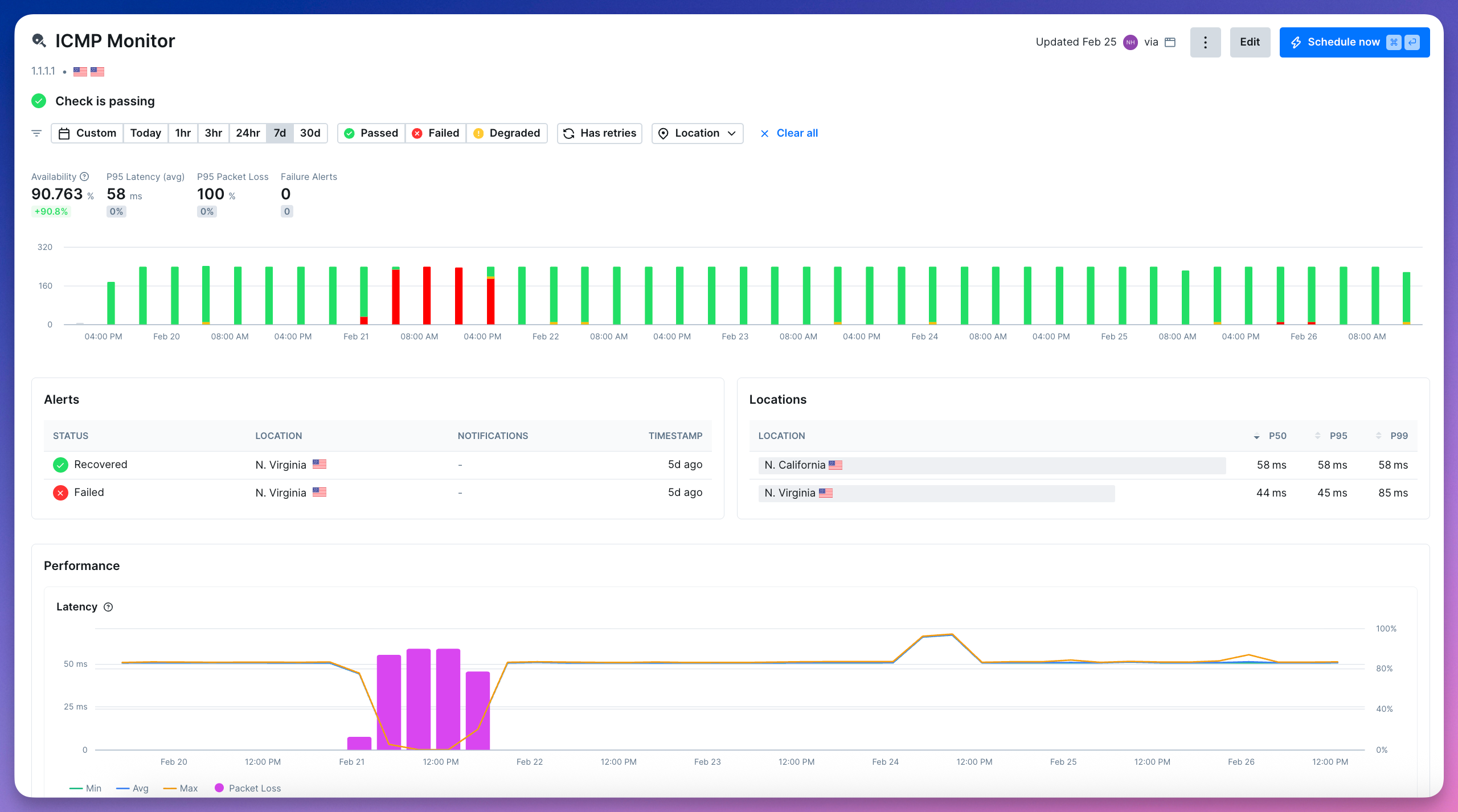
ICMP monitors continuously ping your hosts to measure reachability, latency, and packet loss across regions, so you can spot connectivity issues before they impact your users.
Create your first ICMP monitor
Use Cases
ICMP monitors check whether a host is reachable by sending ICMP Echo Requests (pings). Use them to:
Track packet loss and latency to detect degradation early
Verify that hosts which are not exposed to the public internet remain reachable
Catch network-level outages before they affect your application
Compare latency across regions to understand geographic performance
Get Started With ICMP Monitors
Jump into your dashboard to add a new ICMP monitor:
Enter the hostname or IP address you want to monitor
Set your ping count and packet loss thresholds
Optionally add assertions (e.g. on latency)
ICMP monitors are fully integrated into Checkly’s Monitoring as Code (MaC) workflows and available in the CLI from version v7.1.0.
import { Frequency, IcmpAssertionBuilder, IcmpMonitor } from "checkly/constructs"

new IcmpMonitor('cloudflare-dns-icmp', {
  name: 'Cloudflare DNS ICMP Monitor',
  activated: true,
  frequency: Frequency.EVERY_1M,
  maxPacketLossThreshold: 20,
  degradedPacketLossThreshold: 10,
  request: {
    hostname: '1.1.1.1',
    pingCount: 20,
    assertions: [
      IcmpAssertionBuilder.latency('avg').lessThan(100),
      IcmpAssertionBuilder.latency('max').lessThan(200),
    ]
  }
})
Using Infrastructure as Code?
Terraform (v1.18.0): checkly_icmp_monitor
Pulumi (v2.8.0): checkly.IcmpMonitor
Learn more in our developer docs on ICMP monitoring.
See Uptime Monitoring in Action
ICMP monitors join Checkly’s uptime monitoring suite alongside URL, TCP, DNS, and Heartbeat, giving you visibility across every layer of your stack.
If you’re curious how teams use these monitors together in practice, join our upcoming webinar on uptime monitoring. We’ll walk through real-world examples of spotting reachability issues, catching DNS changes, validating TCP connections, and debugging outages.